Best Cable Management Ideas for Desk Setup [2026]
Cable management is the single most impactful visual upgrade you can make to a desk setup without changing any of the hardware. The same monitor, the same keyboard, the same laptop produce a completely different workspace impression depending on whether their cables hang loosely across the desk surface or are routed invisibly behind and beneath it. Beyond aesthetics, good cable management reduces the amount of time you spend untangling cables when you need to move a device, eliminates the daily annoyance of dust accumulating in cable clusters, and prevents the damage that comes from cables being repeatedly pinched or bent at sharp angles over time. The three best cable management solutions for a desk setup in 2026 cover three different strategies: concealment in a box that hides an entire power strip and all attached cables at once, routing cables under the desk in a suspended metal tray that keeps them off the floor, and organizing cables along the desk surface and edges with a no-drill clamping tray that works on any desk without permanent modifications. Each approach works, and each is designed for a different desk configuration and cable volume.


1. Large Cable Management Box – Best Overall
The Large Cable Management Box earns the best overall designation for desk cable management because it solves the most visible and most common cable problem in one step: the power strip sitting on the floor or desk surface with every attached power adapter and cable exposed. A cable management box works by enclosing the entire power strip and all plugged-in power adapters inside a solid enclosure with a lid, routing cables in through openings in the side and routing them out through a similar opening toward the devices on the desk. The result is that what was previously a nest of power bricks, cable runs, and the power strip itself becomes a single clean box that reads as one intentional object rather than an accumulation of electrical clutter. At 4.8 stars, this is the highest-rated cable management product on this list, which reflects the simplicity of the solution – there is no installation required, no drilling, and no special tools. You open the box, place your power strip inside, route your cables through the side slots, and close the lid. The entire transformation takes under five minutes. The box accommodates standard power strips up to approximately 12 inches long and works with both vertical and horizontal cable entry. At $32.23, the price reflects the box’s size, build quality, and the fact that it completely hides a power strip that would otherwise require extensive additional cable management work to conceal.


Pros
- Highest rating at 4.8 stars – most customer satisfaction of all cable management products on this list
- Completely hides power strip, power bricks, and all attached adapters in one enclosure
- No installation required – open, place power strip inside, route cables, close lid
- Transforms the most visible cable clutter on any desk in under five minutes
- Works with standard surge protectors and power strips up to 12 inches long
- Lid design allows access to plugged-in devices without removing the enclosure
Cons
- At $32.23 it is the highest-priced product in this guide
- Sits on the desk surface or floor – takes up some footprint beneath the desk
| Specification | Detail |
|---|---|
| Type | Enclosed cable management box with lid |
| Best For | Hiding power strips, power bricks, and all attached adapters |
| Installation | None required – no drilling, no tools |
| Customer Rating | 4.8 out of 5 stars |
| Cable Entry | Side slots for cable routing in and out |
| Placement | Floor or desk surface |
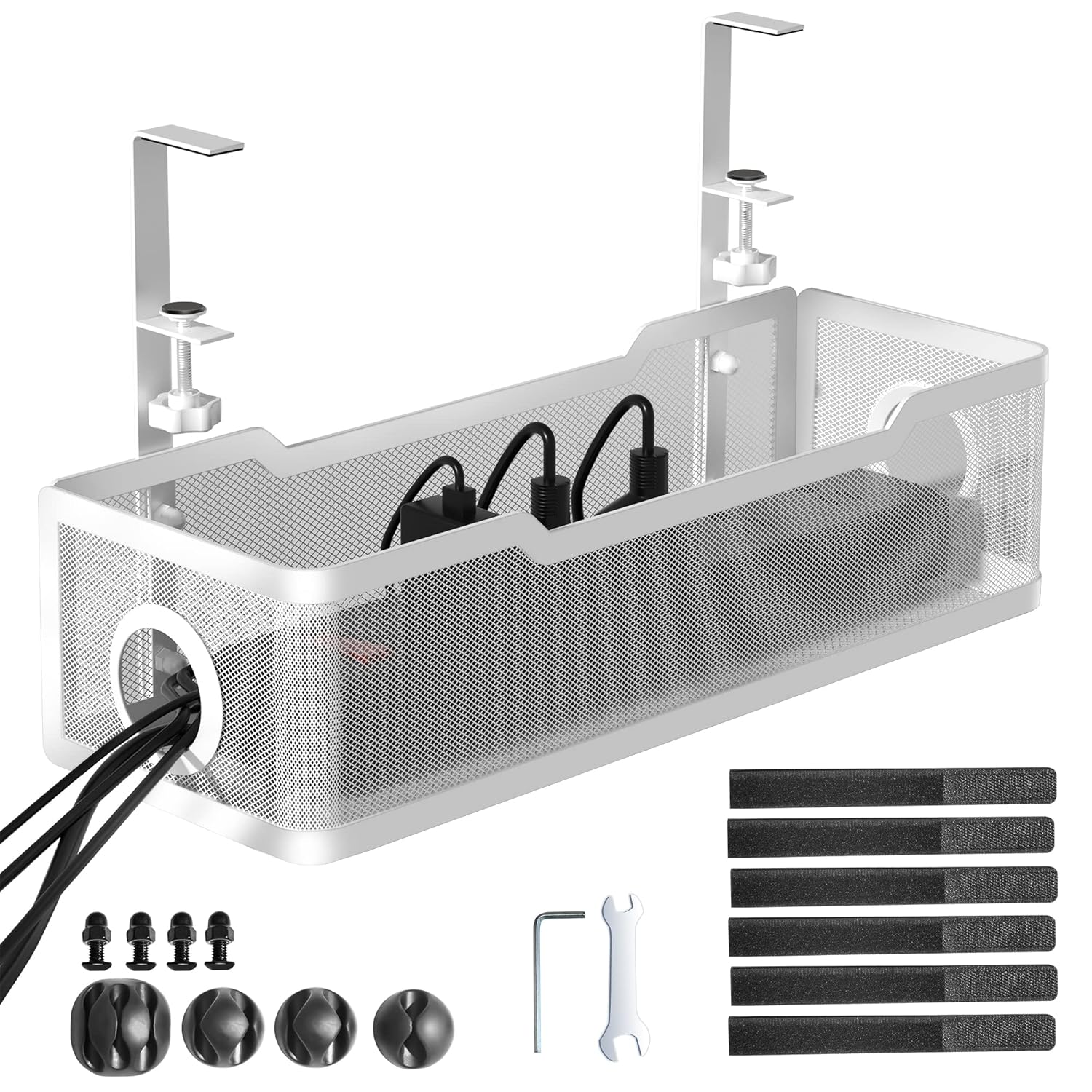
2. Under-Desk Metal Mesh Cable Tray – Best Budget
The Under-Desk Metal Mesh Cable Tray is the best budget cable management solution in this guide because it solves the floor cable problem – cables hanging from the desk surface down to the floor or running along the floor to outlets – without any drilling, without any permanent desk modification, and without spending more than $14. The tray mounts under the desk surface using a clamping mechanism that grips the desk edge and holds the tray horizontally beneath the desktop, creating a suspended cable route that keeps power strips, cable runs, and excess cable loops completely off the floor and out of sight from anyone sitting at the desk. The metal mesh construction is both functional and durable – the mesh allows air circulation around power bricks that generate heat, while the rigid steel construction supports the weight of power strips and multiple cables without bending or sagging over time. The no-drill clamp mount means the tray can be installed on any desk with a flat edge, repositioned, or removed entirely without leaving any marks or damage on the desk surface. At $13.99 with 4.7 stars, this under-desk cable tray is the highest-value cable management product in this guide in terms of the amount of visual cable reduction per dollar spent, because it relocates an entire power strip and the full length of multiple cables from visible floor routing to invisible under-desk mounting in about ten minutes of installation time.


Pros
- Gets power strip and cables completely off the floor – eliminates the most visible cable mess
- No-drill clamp mount installs on any flat desk edge in under ten minutes
- Metal mesh allows heat dissipation from power bricks and adapters
- Rigid steel construction supports power strip weight without sagging
- $13.99 is the lowest price in this guide – highest value per dollar for the visual improvement
Cons
- Requires a desk with a flat accessible edge for the clamp to attach
- Cable tray contents are visible from below desk level
| Specification | Detail |
|---|---|
| Type | Under-desk suspended cable tray |
| Material | Metal mesh – rigid steel |
| Mount Type | No-drill clamp mount – attaches to desk edge |
| Best For | Hiding power strip and cables under the desk off the floor |
| Customer Rating | 4.7 out of 5 stars |
| Installation Time | Under 10 minutes – no tools required |
3. Cinati Under-Desk Cable Organizer Tray – Best Value
The Cinati Under-Desk Cable Organizer Tray is the best value cable management solution in this guide for white desk setups and for users who want an aesthetically cleaner under-desk appearance than the metal mesh tray provides. While the metal mesh tray is purely functional, the Cinati tray has a solid white housing that blends with white or light-colored desk surfaces and hides the cables inside a smooth enclosure rather than a visible mesh basket. The clamping mount system works identically to the metal mesh version – no drilling required, the tray attaches to the underside of any desk with a flat accessible edge – but the white housing creates a more finished, intentional appearance when the underside of the desk is partially visible from the side. At $15.29 with 4.6 stars, the Cinati tray sits between the bare-minimum budget metal mesh tray at $13.99 and the full enclosure cable box at $32.23. The additional $1.30 over the metal mesh tray buys you a cleaner aesthetic that matters significantly on desks where the underside is visible – glass desks, raised desks, standing desks set at partial height, or any desk where someone can see beneath it from a seated position elsewhere in the room. For home offices where the desk is against a wall with nothing visible underneath, the metal mesh tray is sufficient. For setups where the underside of the desk has any visibility, the Cinati white tray is worth the minimal price difference.


Pros
- Solid white housing blends with white desks for a cleaner aesthetic than metal mesh
- No-drill clamp mount installs on any desk edge without permanent modifications
- Hides power strip and cables entirely from the visible desk surface area
- Only $1.30 more than the basic metal mesh tray – minimal cost for significantly better aesthetics on visible desks
- Correct choice for glass desks, standing desks, or any desk where underside is partially visible
Cons
- White color is less versatile on dark or natural wood desks
- Solid housing traps more heat than mesh – less ideal for high-wattage power bricks
| Specification | Detail |
|---|---|
| Brand | Cinati |
| Type | Under-desk cable organizer tray with solid housing |
| Color | White – ideal for white or light desks |
| Mount Type | No-drill clamp mount |
| Best For | Desks where underside is visible – glass, standing, or open-frame desks |
| Customer Rating | 4.6 out of 5 stars |